Reviews
To access this section, follow these steps:
- Log in to your account.
- Navigate to the sidebar on the left-hand side of the dashboard.
- Click on Products.
- Select the " Reviews " tab.
The Reviews section provides customer feedback and review analytics for products across marketplaces. Users can filter reviews, analyse customer sentiment, search for specific products, and download review reports for further analysis.
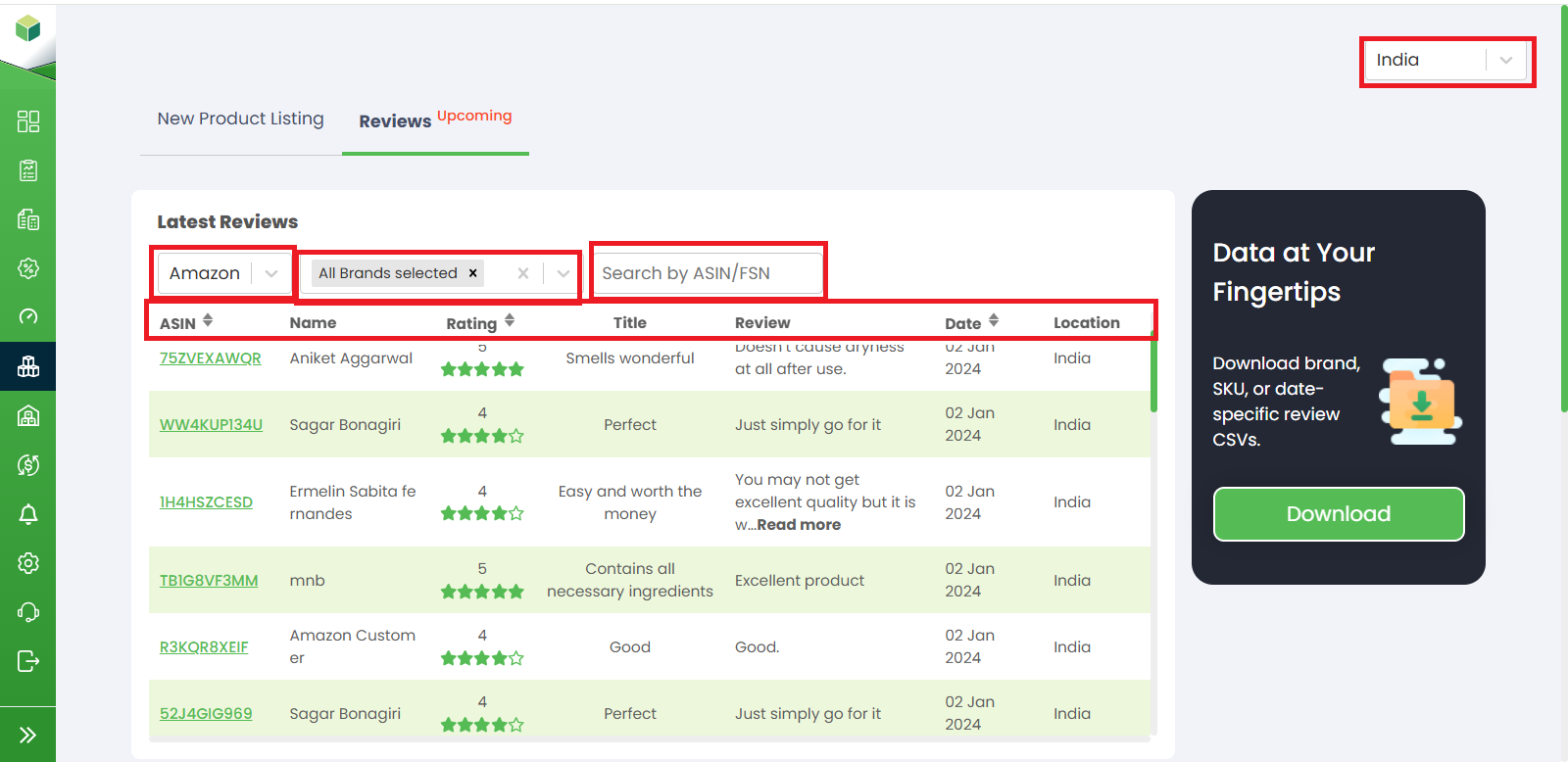
1. Selecting Country: In the upper-right corner of the page, users can select their preferred country or region. The reviews and analytics displayed will correspond to the selected country.
2. Marketplace Filter: The marketplace dropdown allows users to filter reviews by a specific marketplace, such as Amazon or other supported platforms.
3. Brand Filter: The brand filter enables users to view reviews for specific brands. Multiple brands can be selected to refine the displayed results.
4. Search by ASIN/FSN: The search bar allows users to quickly locate reviews for a specific product by entering its ASIN or FSN.
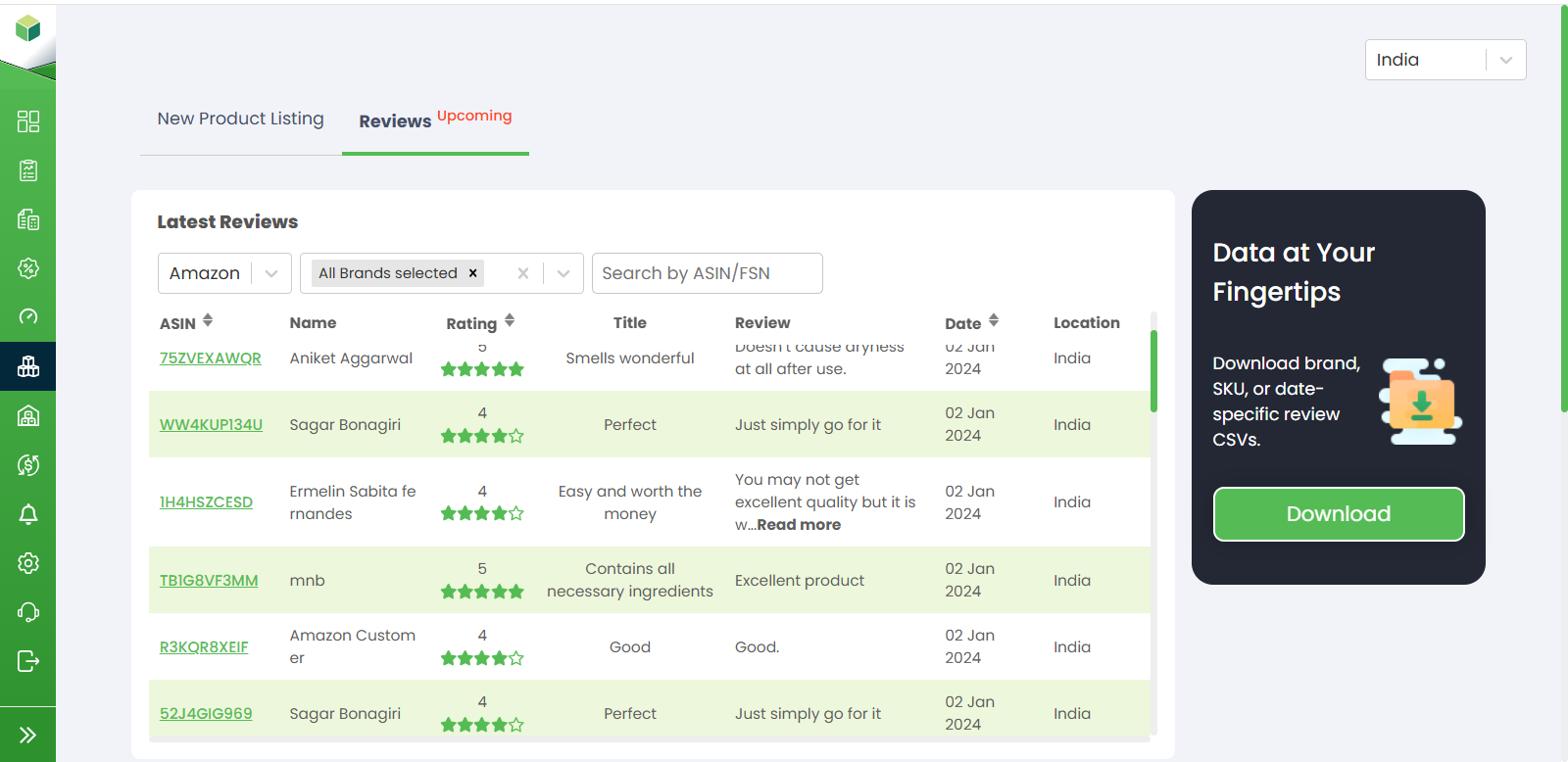
5. Latest Reviews: The Latest Reviews section displays recently received customer reviews along with detailed information, including:
- ASIN – Product identification number.
- Customer Name – Name of the reviewer.
- Rating – Product rating provided by the customer.
- Title – Review title or summary.
- Review – Detailed customer feedback.
- Date – Date the review was submitted.
- Location – Customer's location.
This section helps users monitor customer feedback and product performance.
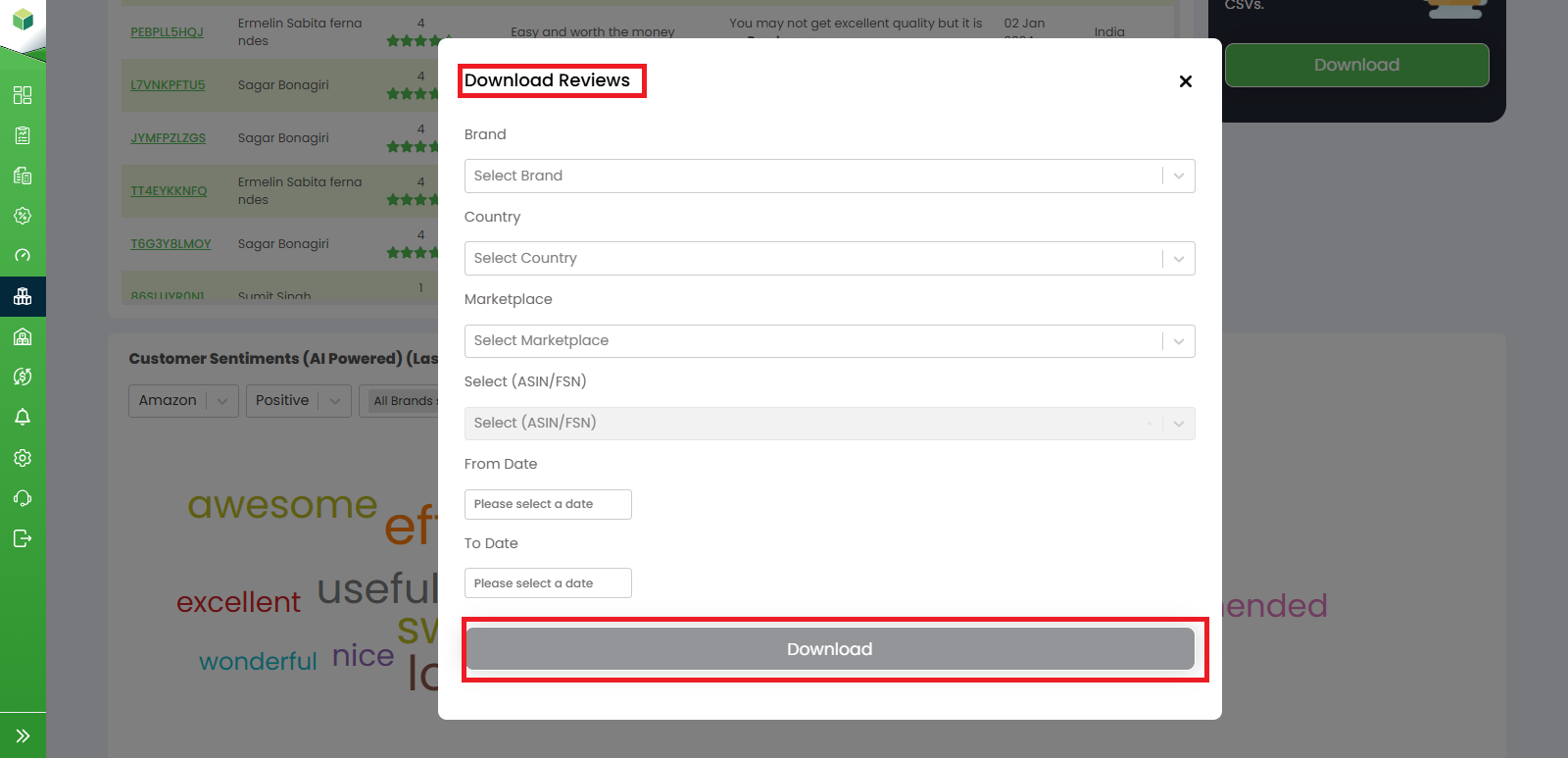
6. Download Reviews: The Download button allows users to export review data for reporting and analysis purposes. Clicking the Download button opens the Download Reviews pop-up where users can:
- Select a Brand
- Select a Country
- Select a Marketplace
- Select an ASIN/FSN
- Choose a From Date
- Choose a To Date
After selecting the required criteria, click Download to export the review report.
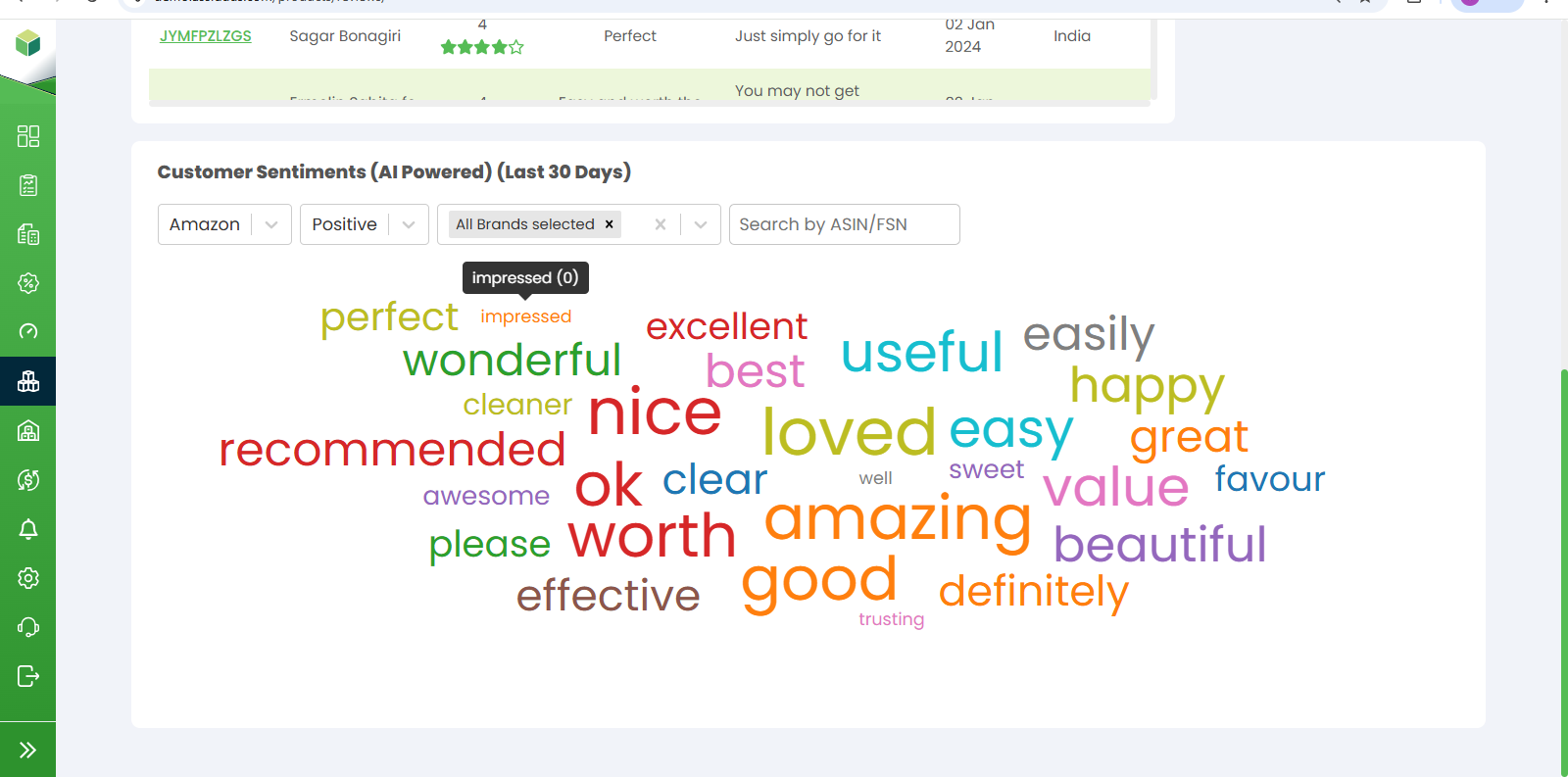
7. Customer Sentiments (AI Powered): The Customer Sentiments section uses AI-powered analysis to identify commonly used words and phrases from customer reviews collected during the last 30 days.
Users can filter sentiment data using:
- Marketplace
- Sentiment Type (Positive, Negative, Neutral)
- Brand
- ASIN/FSN